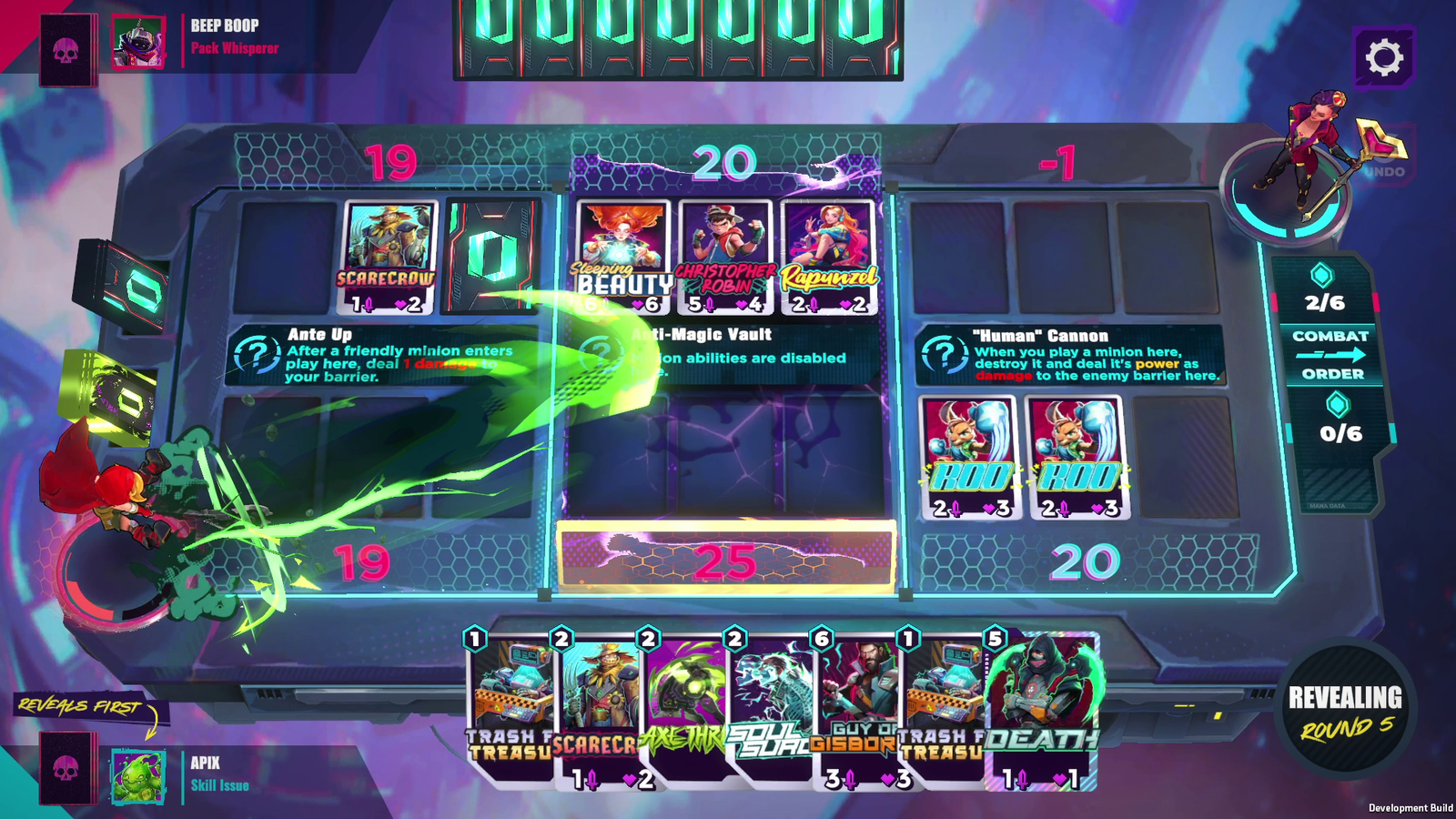
Your first goal: understand a match you play
You do not need a booster, a Collector Pass or a Kickstarter pledge to try Origins TCG. Start with playing; explore collecting later if it appeals to you. This route takes you from installation to your first decisions on the board.
Checked on 31 October 2026. Origins is in Early Access and screens may change. Official media-kit screenshots show a development build.
1. Install Origins TCG through Steam
- Open the official Steam listing ↗ and check that the developer is Koin Games.
- Check the requirements for your computer. The listing supports Windows and macOS; an Internet connection is required.
- Sign in to Steam, choose the free-to-play option and install the game using the Steam client.
Select the main Origins Trading Card Game, rather than an old demo: Early Access replaced the demo on 27 October. “Riftbound: Origins” refers to a different game.
2. Launch the game and use the right account
Start Origins from your library using the Steam account you intend to play with. Follow the identification and setup steps shown in the game. Returning demo players should use their existing account: Koin announced that accounts, collections and progress moved into Early Access.
An Origins Tavern account is for this website and creator profiles; it does not create an in-game account. If progress appears missing, check which account is signed in and consult official support before starting over.
3. Choose a language and complete the tutorial
Steam lists English and French among the interface languages; full audio is in English. Use the available settings and play the tutorial before worrying about the strongest deck.
Afterward, try answering three questions: where are my barriers, how much mana can I spend, and who reveals first? Our match walkthrough explains these points with screenshots.
4. Follow missions and learn one deck
Work through the available missions and boss encounters to unlock gameplay decks. Free access does not mean every card is already in your collection on your first launch: progression is part of the process. Follow the objectives displayed in your build, rather than an old guide’s fixed win count.
Use the same deck for several matches. Identify an inexpensive early play, an answer to a threat and a way to finish. After a loss, choose one decision to improve: an undefended lane, an overlooked location effect or a card that revealed too late.
5. Choose your next step
- Understand how a match unfolds
- Separate free gameplay from paid collecting
- Find creators and gameplay to watch
- Join the official Discord for questions and bug reports ↗
Try Ranked once you understand your deck’s plan and the unlock requirements shown in the game. Buying collectibles is not required for that step.